 The main advantage of ecommerce is convenience. You can browse merchandise from the comfort of your home, compare offerings without running from store to store and get what you want delivered where you want it. However, to keep enjoying this convenience, we must make it more sustainable. The importance of sustainability has long been recognized across industries. Yet, many obstacles delay transitioning to more sustainable practices. Advanced data collection and analysis technologies bring hope that green ecommerce is achievable and can even boost business profitability. Sustainability — honest goal or greenwashing? Most growing businesses profess their commitment to sustainability. It shows awareness of the general consumer behavior trends. For example, the internet search for sustainable goods has grown by 71% over the past five years. However, does this mean an actual change in how products are produced and delivered? Greenwashing — presenting a business practice or product as more environmentally friendly than it is, has been around for decades. Jay Westerveld, who coined the term in 1986, warned of evolved greenwashing practices as the Earth Day marketing campaigns of 2024 were approaching. According to him, understanding these new forms of greenwashing is especially important now as AI's power of disseminating information is growing fast. While AI does present a new set of challenges, today's consumers, especially the digitally native generation, are definitely capable of digging deeper. The growing number of sustainability-related online searches shows consumers are willing to investigate products rather than rush into buying decisions. Thus, even putting aside ethical and environmental concerns, businesses need to honestly reach for the advertised sustainability goals to keep attracting customers. How to make ecommerce sustainable Instead of utilizing AI to disseminate half-truths, brands can use such solutions to gather hard facts that help make sustainable ecommerce profitable. A few focus areas are critical for online vendors meaningfully committed to this goal. Minimizing overproduction with demand forecasting: Consistently producing much more than selling usually means bad business. Even when overproduction works financially, like for the big players in the fashion industry, production data is kept secret, knowing the reputational damage the disclosure of large-scale wastefulness would bring. Thus, the most prudent ecommerce strategy is optimizing the supply chain to minimize overproduction. Advanced demand forecasting, especially utilizing ML-based tools, is the most promising way to achieve this. Many global and local factors affect demand volatility along the supply chain, from promotion and shifting market trends to political events and weather. Many data points covering these and other variables are publicly available online. The key to successful forecasting in ecommerce lies in the ability to extract location-specific public data from diverse sources. Competitive edge in promoting sustainable products: Sustainable products might evoke different customer impressions. Some will think of sustainability as a bonus, while others will suspect that some quality features were sacrificed for it. Online vendors need to keep this in mind when choosing how to promote their sustainable offerings in the face of fierce competition. The competitive edge comes from the very nature of ecommerce, which allows the monitoring of all competitor activity automatically and in real-time. Tracking price changes helps vendors analyze the market for sustainably made products and identify opportunities for offering the best deal. Meanwhile, gathering intelligence on how competitors promote their sustainable offerings will give insight into which customer segments they are targeting. Implementing reusable packaging: Packaging choices have a decisive impact on the possibility of sustainable ecommerce. Despite continuous efforts to move towards reusable packaging, economic challenges and uncertainties often curtail its implementation. As noted by McKinsey's experts, successfully scaling reusable packaging will require complex research on the economic, environmental and societal factors at play. Projecting necessary infrastructure costs, ensuring that CO₂ emissions and water consumption of the reusability system do not negate its benefits and identifying ways to incite consumer cooperation needs careful planning informed by multifaceted data. The collected consumer sentiment and market data should represent the different geographic locations the ecommerce vendor covers. Localized research will improve scheduling decisions when scaling the shift to reusable packaging and allow local sustainability concerns to be addressed when promoting it. Sustainability of data collection In the case of facilitating sustainable ecommerce with data, the elephant in the room is that large-scale data collection itself requires an energy-intensive infrastructure based on millions of constantly running servers. The optimization of resources and processes made possible by such infrastructures most likely outweigh their negatives. However, industry leaders should take it upon themselves to address the remaining challenges. In the web intelligence gathering industry, several factors are key to advancing sustainability goals.
In an ideal world, which may lie in the future, companies collecting web intelligence and data holders could agree to a free flow of data, foregoing the anti-scraping measures. While these measures lead to a resource-heavy cat-and-mouse of creating and bypassing obstacles to scraping, the best we can do is make sure that our own practices of data collection are as sustainable as possible. Shifting to sustainable products and practices in ecommerce is the only long-term option. However, projects that would advance this transition often fail despite honest intentions. Vendors need time-sensitive and location-specific data to optimize the supply chain and make sustainability financially viable. While gathering data on a large scale can be resource-intensive, organizations need reliable information to avoid wasteful decisions. Finding ways to make data collection infrastructure more effective and sustainable will be decisive for the future of ecommerce. Source: https://www.entrepreneur.com Image Credit: Karolina Grabowska
0 Comments
 The digital marketing industry stands clearly at a crossroads. As privacy concerns prompt a shift of platforms away from tracking cookies, marketers must adopt new ways to personalize content without compromising user privacy. In this environment, AI offers the most viable alternative to tracking cookies that respect consumer privacy while delivering tailored customer experiences. The rise of privacy-first marketing The growing unease over privacy has led to stricter regulations on tracking cookies and a shift in public sentiment, pushing the industry towards more privacy-conscious practices. All this requires alternative methods for personalization, and AI technology offers a way forward. It enables marketers to target customers and customize content effectively while adhering to privacy standards. Here are ten ways emerging AI will continue reshaping personalized marketing in a post-cookie world. 1. First-party data optimization With cookies on the wane, there's now a heightened value in first-party data — information collected directly from customers with their consent. My company, Presspool.ai, for example, leverages the personal data that readers voluntarily provide to newsletter publishers when they sign up for a subscription or respond to polls and surveys. AI analyzes this data to extract insights about buyer preferences without breaching personal privacy, helping businesses tailor their marketing strategies effectively by relying upon openly and overtly obtained data. 2. Predictive analytics AI can use existing data points to predict customer behavior and preferences accurately. This capability allows for personalization, where AI anticipates buyer needs and preferences based on limited but direct data inputs, minimizing the need for pervasive tracking. 3. Contextual targeting Instead of tracking individual user behavior across many sites, AI can enhance contextual targeting where ads are placed based on the content of visited websites. AI can optimize ad placement by understanding the context in which users will likely engage with content, making it relevant without invasive tracking. 4. Federated learning This cutting-edge AI technique enables user preferences to be learned without extracting personal data from their devices. By decentralizing the data processing to user devices, federated learning ensures that personal information remains private yet contributes to collective learning that enhances personalization. 5. Synthetic data generation AI can generate synthetic data sets that mimic real user behaviors without containing personal information. These data sets can be used to train AI models for personalization, reducing reliance on real user data and thus enhancing privacy. 6. AI-driven data analysis and consumer insights Personalized marketing relies upon deep consumer insights derived from data, and AI excels in parsing vast datasets to identify patterns and preferences that might elude human analysts. Machine learning algorithms can track user behavior across multiple platforms, from social media interactions to purchase histories, building comprehensive profiles. These profiles enable marketers to understand consumer needs and preferences and predict future behaviors. 7. Dynamic content customization Once AI systems identify consumer preferences, the next step is content customization. AI can dynamically tailor marketing messages in real-time based on sufficient and reliable data. For instance, if a consumer frequently searches for project management software solutions, AI can ensure the advertisements they see are related to those products. Personalizing content this way increases the relevance of marketing efforts and enhances the consumer experience, making interactions feel more natural and less like a sales pitch. 8. Real-time decision making AI's ability to make real-time decisions transforms how campaigns are managed and optimized. Marketers can instantly adjust their strategies using AI based on ongoing campaign performance. If an AI detects that a particular message is performing well among a specific demographic in real time, it can automatically redirect campaign budgets to capitalize on emerging trends. 9. Personalized recommendations Beyond reacting to existing data, AI can predict future consumer behaviors. Predictive analytics use existing data to forecast what buyers might be interested in next. For example, if a customer has bought a series of books by a particular author, AI can suggest upcoming releases or similar books. This helps in upselling and ensures that the customer feels understood and valued. 10. Enhanced CX with chatbots and virtual assistants AI-powered chatbots and virtual assistants that provide personalized customer service are becoming widespread. These AI solutions can handle inquiries, provide recommendations, and even resolve issues around the clock without human intervention. By learning from each interaction, these applications offer increasingly personalized experiences, improving customer satisfaction and loyalty. As AI technology advances, its integration into marketing strategies becomes increasingly essential for brands aiming to stay competitive in a crowded market. By adopting AI-driven personalized marketing tech and best practices, businesses can not only meet customer expectations for relevance and personalization. They can also forge stronger, more meaningful relationships with their audiences. The future of marketing is not just personalized; it's predictive, proactive, and powered by AI. Source: https://www.entrepreneur.com Image Credit: Gordon Johnson from Pixabay  Chances are, your business collects personal information about customers, employees and/or partners. This means you have an obligation to protect that information. Failure to do so could lead to legal issues or even bankruptcy. Unfortunately, many businesses have found themselves in these situations over the past several years. Jane Hils Shea, technology and data privacy attorney for Frost Brown Todd said in an email interview with Small Business Trends, “The frequency and extent of data breaches is at an all-time high in terms of both number of breaches and number of individual records compromised, and the expenses associated with data breach response is increasing.” Here’s what your small business needs to know about personal information and how to protect it. What Is Personal Information? Personally identifiable information or sensitive personal data can be anything that is used to identify an individual’s personal identity. For instance:
There’s a good chance that your business collects some of this information about your customers already. Any time someone pays with a credit card or signs up for your email list using their name and contact info, you gain access to personal information. This means you need to have policies in place to protect this information and let customers know exactly how you intend on using this data. Here’s what you need to know.  Why Is Personal Information Important to Your Small Business? There are laws and regulations that require businesses to meet certain standards when it comes to storing and protecting personal information. In most cases, you’re bound by the actual language that you use in your own privacy policies. So it’s important that you outline exactly how you plan on using any personal information you collect and have customers agree to that policy when they do business with you. However, there are other standards that apply to specific industries as well. Shea says, “An online business that collects personal data about persons located in the U.S. is primarily bound by the promises made in its website privacy policy. IF a business is a part of the financial services or healthcare industries, it could be subject to the requirements of the Gramm-Leach-Bliley Act (GLBA) or the Health Information Protection and Portability Act (HIPAA). If it collects data about children under 13 it could be liable under the Children’s Online Privacy and Protection Act (COPPA).” Payments are another major area where businesses need to focus their security efforts. Shea explains, “Businesses that accept credit cards should be certain they comply with the Payment Card Industry Data Security Standards (PCI-DSS). All businesses that take payment by credit card are required by their card processing agreement to have implemented and to maintain the PCI-DSS.” Online businesses also need to be aware of international laws or those that focus on personal information from customers outside the U.S., like the GDPR laws that went into effect for the EU earlier this year. When it comes to protecting personal information, the Fair Credit Reporting Act’s Identity Theft Rules require certain businesses to have written identity theft protection programs. And many vendor service agreements also require businesses to implement industry standard security procedures as part of their contract agreements.  How Can Your Business Protect Personal Information? There are many steps you can and should take to protect the sensitive data and personally identifiable information you collect about customers, employees, and vendors. Your exact plan will depend on what data you actually collect. But there’s one essential principle that applies to basically every business. Shea says, “The cardinal rule and the first step for a business to take to protect against data breaches is to “know thy data.” A strong information security program begins with a data inventory and a data map. This exercise tells a business what personal data it collects and processes about its customers and employees, and identifies where in its system it is located so it can best protect that data. Further, it should understand how personal data is processed and transmitted, how long it is retained, and what its data destruction obligations are.” She also offered a handful of concrete steps you can employ. For example:
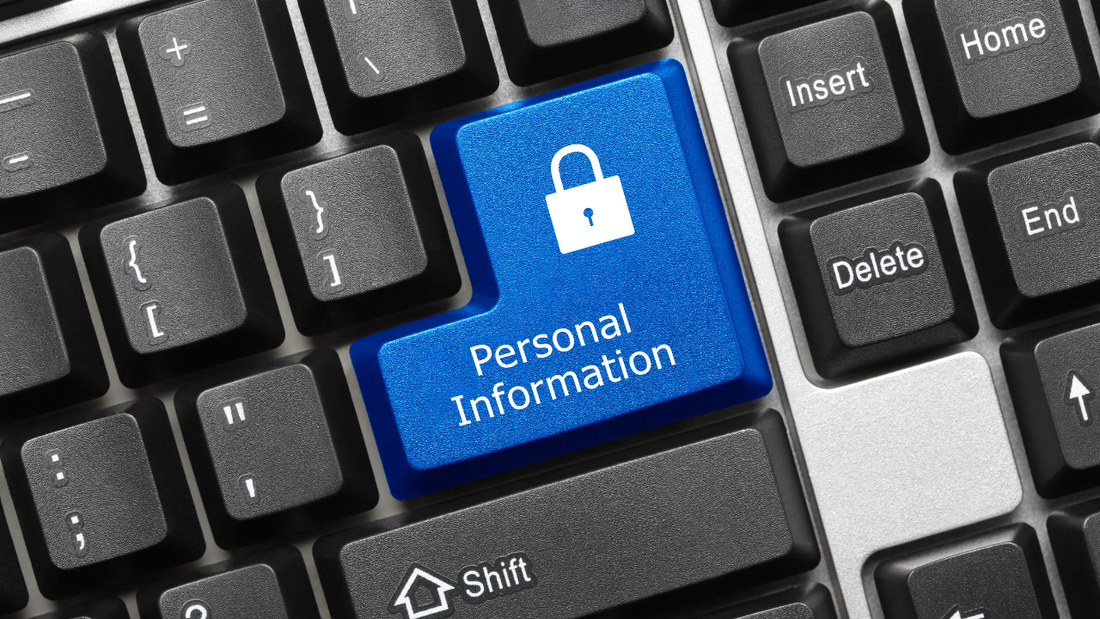 Cybersecurity Best Practices for Small Businesses In today’s digital landscape, the importance of cybersecurity cannot be overstated. Small businesses, just like large corporations, are prime targets for cyberattacks. The consequences of a data breach can be devastating, leading to financial losses, reputational damage, and legal troubles. Therefore, it’s crucial for small businesses to implement robust cybersecurity measures to protect their operations and customer data. In this section, we will explore some cybersecurity best practices tailored to the unique needs and constraints of small businesses. Regularly Update Software and Systems Outdated software and operating systems are vulnerable to known security flaws that cybercriminals can exploit. Small businesses should establish a routine for updating all software and systems promptly. This includes operating systems, antivirus programs, firewalls, and applications. Consider enabling automatic updates whenever possible to ensure your systems are always equipped with the latest security patches. Implement Strong Password Policies Weak passwords are a common entry point for cyberattacks. Encourage your employees to create strong, complex passwords that include a combination of upper- and lower-case letters, numbers, and special characters. Passwords should be unique for each account and changed regularly. Consider implementing two-factor authentication (2FA) to add an extra layer of security to your accounts. Educate Your Team on Cybersecurity Human error is a significant contributor to cybersecurity breaches. Ensure that your employees are well-informed about cybersecurity best practices. Conduct training sessions or workshops to educate them on recognizing phishing attempts, social engineering tactics, and other common threats. Encourage a culture of vigilance and responsible online behavior within your organization. Secure Your Wi-Fi Network Your Wi-Fi network is a potential entry point for cybercriminals. Secure it with a strong password, and consider using Wi-Fi encryption protocols like WPA3 for enhanced protection. Regularly update your router’s firmware to patch security vulnerabilities. Create a separate guest network for visitors and customers to prevent them from accessing your internal network. Backup Your Data Regularly Data loss can occur due to cyberattacks, hardware failures, or other unforeseen events. Implement regular data backup procedures to ensure that critical business information is safe and recoverable. Store backups in secure, off-site locations or use cloud-based backup solutions. Test your backup and recovery processes to verify their effectiveness. Install and Maintain Antivirus Software Antivirus and anti-malware software are essential components of your cybersecurity strategy. Install reputable antivirus software on all devices connected to your network. Keep it updated to detect and mitigate the latest threats. Configure your antivirus software to perform regular scans of your systems. Establish a Cybersecurity Incident Response Plan Despite your best efforts, security incidents can still occur. Having a well-defined incident response plan is crucial. Outline the steps your organization should take in the event of a cybersecurity breach. Assign responsibilities to specific team members, and establish clear communication channels. The goal is to minimize damage and downtime while swiftly addressing the issue. Limit Access to Sensitive Data Not all employees require access to all data and systems. Implement the principle of least privilege (PoLP) by restricting access to sensitive information only to employees who need it for their roles. Regularly review and update access permissions to align with organizational changes. Regularly Monitor Network Activity Continuous monitoring of your network’s activity can help detect anomalies and potential security threats. Consider using intrusion detection systems (IDS) and intrusion prevention systems (IPS) to identify and respond to suspicious activities. Monitor access logs and network traffic for signs of unauthorized access or unusual patterns. Secure Mobile Devices In today’s mobile-driven world, mobile devices are often used for work-related tasks. Ensure that all mobile devices used for business purposes are equipped with security measures such as remote wipe capabilities and encryption. Educate employees on mobile security best practices and the risks of downloading unverified apps. Collaborate with Cybersecurity Experts Cybersecurity is a complex field that requires expertise. Consider partnering with cybersecurity consultants or managed security service providers (MSSPs) to assess your security posture, identify vulnerabilities, and develop a tailored cybersecurity strategy. Their insights and guidance can be invaluable in protecting your business. Stay Informed About Emerging Threats Cybersecurity threats evolve continuously. Stay informed about the latest cybersecurity trends, vulnerabilities, and attack techniques. Subscribe to cybersecurity news sources, attend industry conferences, and engage with online communities to gain insights into emerging threats. This knowledge will help you proactively adapt your cybersecurity measures.  Developing a Comprehensive Data Protection Strategy A robust data protection strategy begins with recognizing the varied levels of sensitivity in the personal information collected. Sensitive data, such as financial details, health records, and Social Security numbers, demands stringent protection measures, including encryption and access controls. Businesses must classify data at the point of collection, assigning levels of sensitivity and determining the appropriate safeguards for each category. This classification enables a tiered protection approach, ensuring that the most sensitive data receives the highest level of security. Implementing regular data audits is crucial for maintaining data accuracy and relevance. These audits assess what data is stored, its access levels, and its usage against the company’s privacy policies and compliance obligations. Compliance checks against standards such as GDPR, HIPAA, or CCPA ensure ongoing adherence to legal requirements, helping businesses avoid costly fines and reputational damage. Enhancing Customer Trust through Crafting Clear Privacy Policies Transparency in how customer data is handled plays a pivotal role in building trust. A clear, concise privacy policy should articulate the types of data collected, the purposes of data processing, the security measures in place, and the customers’ rights regarding their data. This policy must be easily accessible, ideally with summaries or highlights for key sections to aid comprehension. Regular updates to the privacy policy, reflecting changes in data practices or legal requirements, further enhance transparency and trust. Implementing Consent Management Effective consent management ensures that customers have control over their personal information. This involves clear communication about the data being collected and its intended use at the point of collection, offering customers the choice to opt-in or opt-out. For sensitive information, explicit consent is often required, necessitating a straightforward mechanism for customers to grant or withdraw their consent. Managing consent records meticulously not only complies with legal requirements but also demonstrates respect for customer preferences. Preparing a Data Breach Response Plan Preparation is key to effectively managing a data breach. A well-defined response plan outlines the steps to take immediately following a breach, including assessing the scope, containing the breach, and notifying affected individuals and regulatory bodies. The plan should designate specific roles and responsibilities within the organization for managing the breach response, ensuring a coordinated and efficient approach. Legal Obligations and Customer Communication Following a data breach, adherence to legal and regulatory obligations is paramount. This includes timely notification to authorities and affected individuals, providing details about the breach, the type of data compromised, and the measures taken to address the breach. Transparent communication with customers, emphasizing the steps being taken to secure their data and prevent future breaches, is crucial for maintaining trust. Offering support, such as credit monitoring services, can further demonstrate the company’s commitment to protecting its customers. Conclusion: Safeguarding the Future through Responsible Data Management In an era where data is both a valuable asset and a potential liability, implementing robust data protection strategies, fostering transparency, and preparing for the unexpected are critical for businesses of all sizes. By developing comprehensive data protection strategies, businesses not only shield themselves against the financial and reputational repercussions of data breaches but also establish a foundation of trust with their customers. Transparency in data handling practices reassures customers that their personal information is respected and safeguarded, fostering loyalty in a competitive marketplace. Navigating the aftermath of a data breach with integrity and openness further cements a business’s reputation as a trustworthy entity. Ultimately, the commitment to responsible data management and protection is a testament to a business’s dedication to its customers’ well-being and privacy. By embracing these principles, businesses not only comply with evolving regulatory landscapes but also pave the way for sustainable growth and success in the digital age. Source: https://smallbiztrends.com Image Source: Photo via Shutterstock  In today’s fast-paced business environment, effective customer communications management is crucial. Automation offers a practical solution to maintaining open lines of communication with clients without overburdening your team. By automating routine customer service requests, you can keep your clients satisfied and informed, while freeing up valuable time for your team to focus on driving the business forward. Customer Communications Management AutomationDiscover seven cost-effective ways to implement customer communications management automation and enhance your client relationships: 1. Initiate the ConversationProactive engagement with customers is key to fostering positive relationships. Instead of waiting for customers to reach out, identify indicators that might suggest they need assistance. For instance, a visitor lingering on help pages likely requires support, whereas someone browsing your products might benefit from a chat with your sales team to finalize a decision. These examples illustrate just a couple of ways to open communication channels proactively, enhancing customer satisfaction. By anticipating needs based on customer behavior, you’re investing in the long-term success and satisfaction of your clientele. Actively initiating conversations based on these indicators can lead to more effective customer service and potentially increased sales. There are multiple great tools out there which can help initiate this conversation, two of which are LiveChat and BoldChat and both with customizable audience interactions. 2. Use a Virtual Assistant to Handle the Simple ThingsEmbracing technology for customer service efficiency doesn’t necessarily mean expanding your workforce. Many customer inquiries are straightforward and can be effectively managed by intelligent chatbots and automated systems. These tools can quickly resolve basic issues, freeing up your staff to tackle more complex challenges. This approach not only streamlines your customer service process but also ensures that your human resources are utilized where they’re most needed, enhancing overall efficiency and customer satisfaction. A good place to start using digital or virtual assistants is in those proactive connections we just talked about. Chat bots such as Botsify (for Facebook Messenger and other apps) can answer those simple questions that might arise from whatever actions your client is taking on the site, and if it needs to will hand the conversation off seamlessly to a live person to handle the more difficult. 3. Make Use of New TechnologiesDon’t be scared to try out new technologies to solve some of those simple issues. Biometrics is one possibility, and using things like biometric password recovery (utilizing fingerprints or facial recognition instead of old school methods like “mother’s maiden name) takes out the need for a call into your call center or a support chat to authenticate their identity. Other new technologies that might assist in the automation process are the use of mobile apps, like those which walk customers through common issues so they can fix problems themselves without the need for your involvement. Others might use SMS to text a code to a number to get information on their account, a balance due, or to automate the payment process. 4. Use it for The All-Important Follow-upMaintaining communication after a sale is crucial for customer satisfaction. Following up shows clients that your business is available for ongoing support and helps in identifying and addressing potential issues early. A simple practice like reaching out a few days after a transaction to check if the client has any questions or needs assistance can be very effective. Addressing problems early can prevent them from escalating, and automated emails can be a straightforward way to initiate this post-purchase communication. 5. Automate Your Social Media PresenceAn active social media presence is essential for modern businesses. It connects you with potential and current customers, enhancing your brand’s accessibility. Automated social media management tools, like HappyFox, can efficiently sort through social media interactions, directing queries to appropriate departments without manual intervention. These tools can also help in automating your content posting, ensuring consistent engagement with your audience and maximizing your marketing efforts. 6. The SurveySurveys are a valuable tool for gathering insights. While response rates can vary, the feedback from well-crafted surveys is invaluable for identifying potential issues and sparking conversations with customers. Keeping surveys concise, relevant, and action-oriented can increase engagement. Automated follow-up emails based on survey responses can further facilitate dialogue, especially in areas of concern highlighted by customers. 7. The CallbackDespite the prevalence of digital communication, many customers still appreciate personal phone interactions. Including a callback option, alongside digital communication methods, caters to this preference. Tools like MobiForge’s Click to Call or Click to SMS solutions make it easy for customers to request a call. Calls can be queued for response by phone representatives, ensuring that more complex or urgent issues are addressed efficiently and personally. This approach acknowledges that while digital solutions are efficient, the human touch remains a crucial aspect of customer service. Types of Customer Communication Automation ToolsTo assist in selecting the most effective automation tools for customer communication, this table compares various types of tools based on their features and ideal usage scenarios.
Key Considerations for Automating Customer ConversationsAs you explore automating conversations with your customers, consider these essential points to ensure effective and efficient communication:
Source: https://smallbiztrends.com Image Credit: Shutterstock Not a member yet? Apply for a membership today!
|

Membership is open to businesses and organizations interested in increasing visibility and brand awareness in Westchester County and surrounding areas.
Archives
May 2024
Categories
All
|
 RSS Feed